Map one process
- Create a BPMN Lite model.
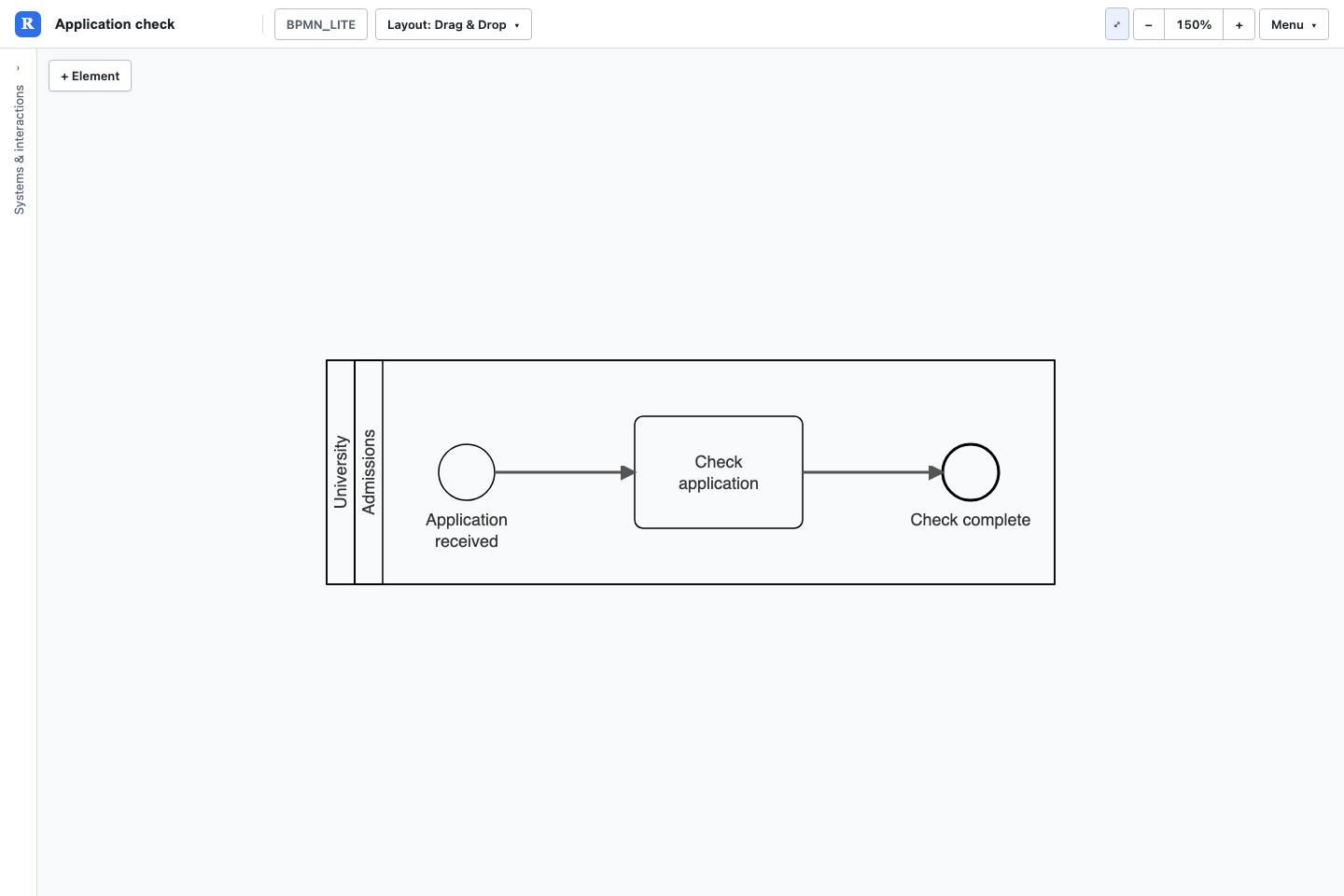
- Add a start event, a task and an end event. Name them Application received, Check application and Check complete.
- In each element's Details, set Pool to University and Lane to Admissions.
- Connect start to task and task to end with ordinary sequence flows.
- Choose direction, arrange the diagram, save a view and save the model.
Responsibilities and handoffs
Pool and Lane are properties on steps. Names create the bands; you do not need to add a special pool element. Moving a task does not change responsibility—change its Lane field. Use sequence flows within the same pool and subprocess scope. Use message flows between distinct named pools, and associations for relevant supporting information.
Decisions and parallel work
Use exclusive gateways for alternative routes and label outcomes clearly. Use parallel gateways when work proceeds in parallel; show the corresponding join when your process requires it. A subprocess can contain elements using Parent; distinguish its internal flow from the outer process.
Exceptions and adjustments
For assessment processes, show the decision to apply an adjustment or consider an extenuating-circumstances request explicitly. Record who decides, what changes and how the process rejoins. Use supported events and gateways; do not invent unsupported boundary-event types.
Limits
BPMN Lite supports the types listed below. It is not a workflow execution engine or a complete BPMN standards validator. This app's file menu does not provide BPMN XML import/export. Review process meaning as well as the visual result.
Download the process approval example (JSON)
Try this with Rovo in Confluence
Choose the matching Revelation agent. Supply the destination page and review the result before sharing. Follow the Rovo guide to attach the created model to a macro.
Create a BPMN Lite application-check process in the University pool, Admissions lane, with a start event, Check application task and end event. Keep sequence flows within the pool.Supported element types
| Name | Model token |
|---|---|
| Start Event | BPMN_START_EVENT |
| Timer Start Interrupting | BPMN_TIMER_START_INTERRUPTING |
| Message Start Interrupting | BPMN_MESSAGE_START_INTERRUPTING |
| Intermediate Event | BPMN_INTERMEDIATE_EVENT |
| Timer Intermediate | BPMN_TIMER_INTERMEDIATE |
| Message Intermediate | BPMN_MESSAGE_INTERMEDIATE |
| End Event | BPMN_END_EVENT |
| Task | BPMN_TASK |
| Sub-Process | BPMN_SUBPROCESS |
| Decision (X) | BPMN_XOR_GATEWAY |
| Decision | BPMN_GATEWAY_EXCLUSIVE_PLAIN |
| Decision (one or more paths) | BPMN_GATEWAY_INCLUSIVE |
| Gateway (all paths) | BPMN_AND_GATEWAY |
| Decision (by event) | BPMN_EVENT_GATEWAY |
| Data Store | BPMN_DATA_STORE |
| Data Object | BPMN_DATA_OBJECT |
| Group | GROUP |
Supported relationship types
| Name | Model token |
|---|---|
| -> | -> |
| Message flow | BPMN_MESSAGE_FLOW |
| Association | BPMN_ASSOCIATION |